TCP Working: 3-Way Handshake & Reliable Communication
A beginner-friendly walkthrough of how TCP creates reliable connections, transfers data safely, and closes communication cleanly

TCP Explained Simply: From Reliable Connections to the 3-Way Handshake
Why Data Needs Rules on the Internet
Imagine sending messages without rules:
Messages arrive out of order
Some messages never arrive
Receiver doesn’t know what’s missing
That’s exactly what would happen on the internet without TCP.
The internet is unreliable by nature.
TCP exists to make communication reliable on top of that chaos.
What Is TCP and Why Is It Needed?
TCP (Transmission Control Protocol) is a transport-layer protocol that ensures:
Data reaches the correct destination
Data arrives completely
Data arrives in order
Lost data is resent automatically
Think of TCP as a trusted courier service 📦
It doesn’t just send data — it guarantees delivery.
Problems TCP Is Designed to Solve
TCP was built to handle real internet problems:
❌ Packet loss
❌ Network congestion
❌ Out-of-order delivery
❌ Duplicate packets
❌ Unreliable networks
TCP hides all this complexity from applications like:
Web browsers
Email clients
APIs
What Is the TCP 3-Way Handshake?
Before any data is sent, TCP establishes a connection.
This setup process is called the 3-Way Handshake.
Think of it like starting a phone call ☎️:
“Can you hear me?”
“Yes, I can hear you. Can you hear me?”
“Yes. Let’s talk.”
TCP 3-Way Handshake (Step by Step)
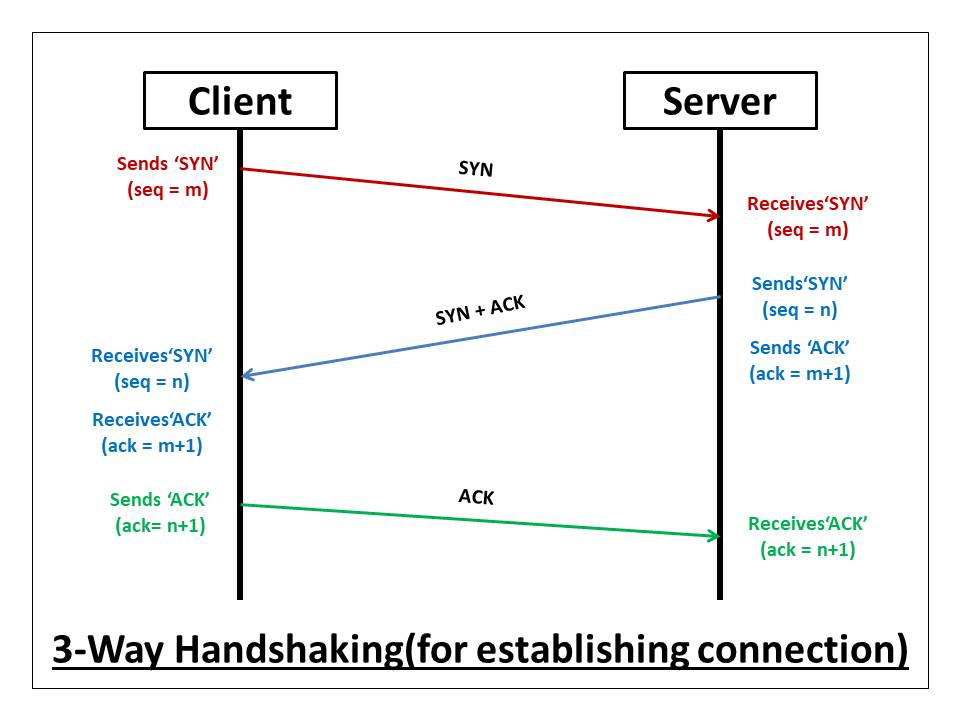

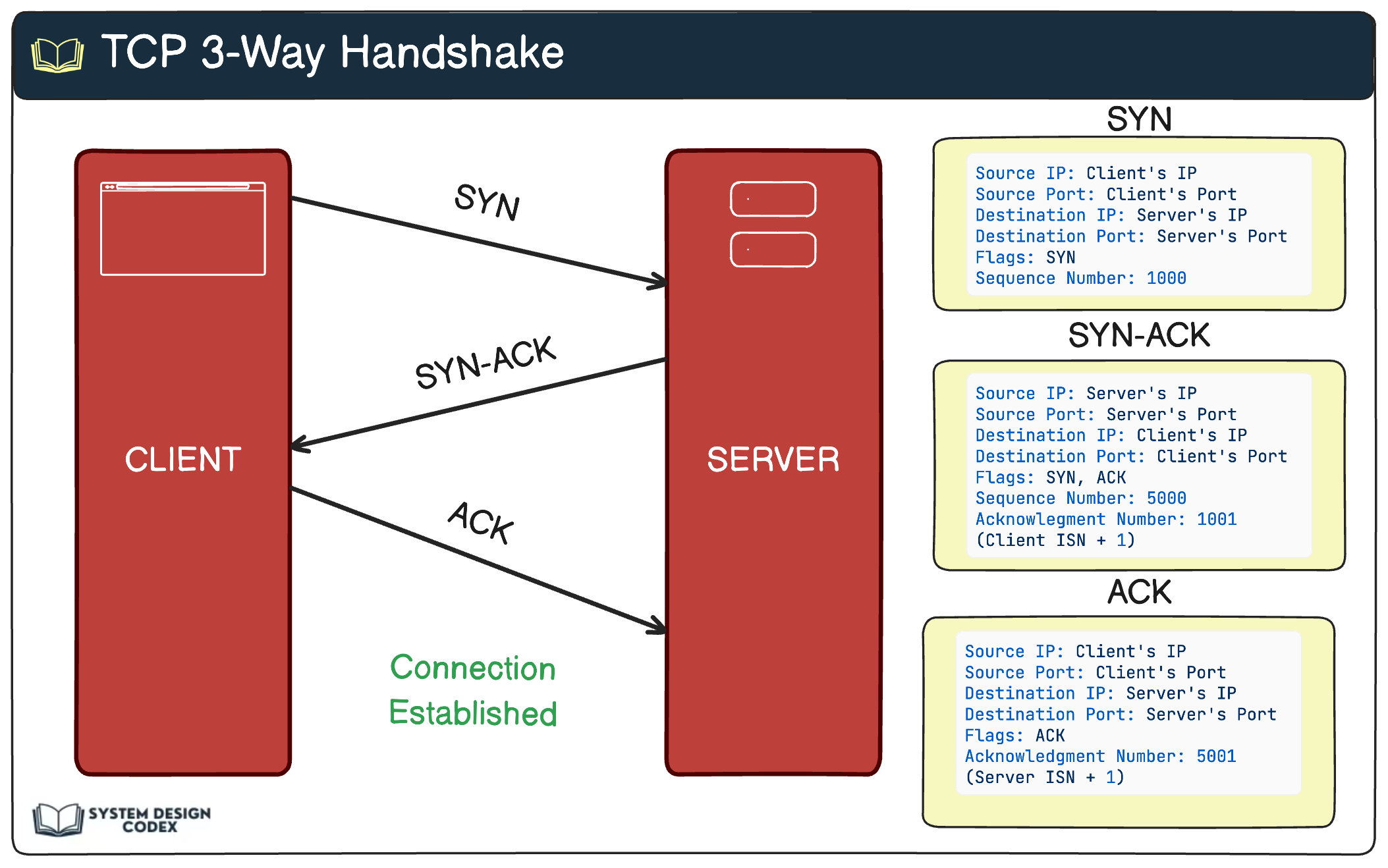
Step 1: SYN (Client → Server)
Client says: “I want to connect”
Sends a SYN packet
Includes an initial sequence number
Step 2: SYN-ACK (Server → Client)
Server replies: “I got your request”
Sends SYN-ACK
Shares its own sequence number
Acknowledges client’s sequence
Step 3: ACK (Client → Server)
Client responds: “Connection confirmed”
Sends ACK
Connection is now established
✅ Both sides agree
✅ Both sides are ready
✅ Data transfer can begin
How Data Transfer Works in TCP
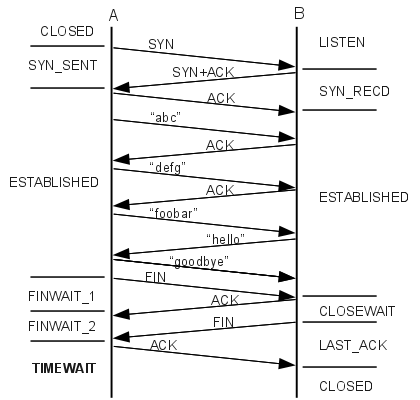


Once connected:
Data is broken into segments
Each segment has a sequence number
Receiver sends ACKs for received data
High-level idea:
Sender: “I sent bytes 1–1000”
Receiver: “ACK: received up to 1000”
How TCP Ensures Reliability, Order, and Correctness
1️⃣ Reliability
Every segment must be acknowledged
Missing ACK → retransmission
2️⃣ Ordered Delivery
Sequence numbers ensure correct order
Out-of-order packets are rearranged
3️⃣ Correctness
Error checking detects corruption
Corrupt data is discarded and resent
What Happens If a Packet Is Lost?
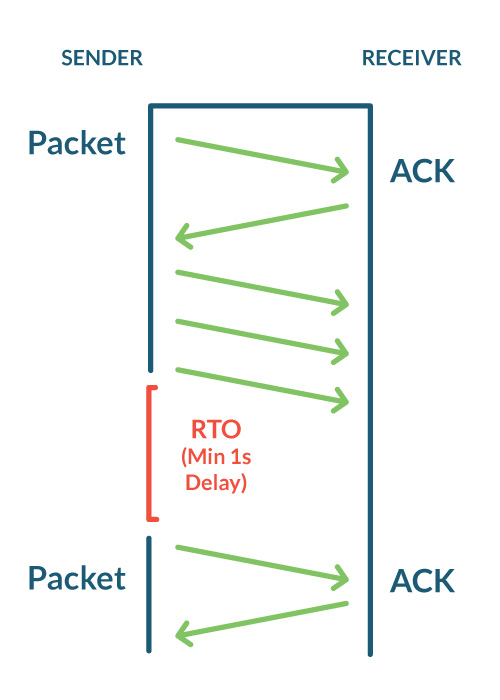
If a packet disappears:
Sender waits for ACK
ACK doesn’t arrive
Timer expires
Packet is resent automatically
The application never knows — TCP fixes it.
How a TCP Connection Is Closed
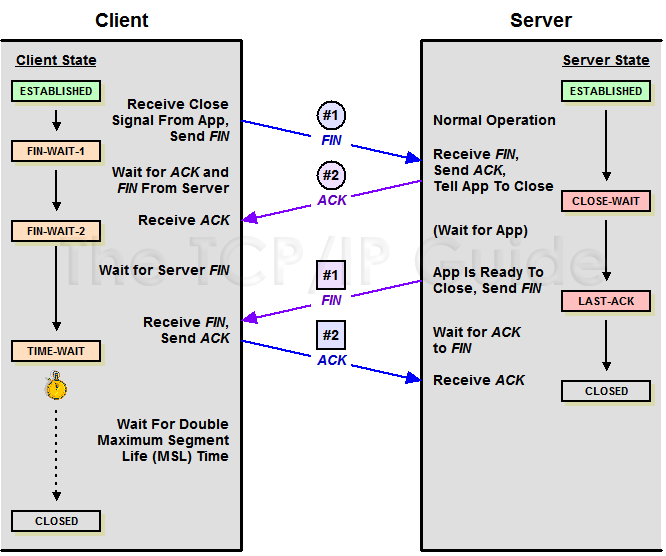

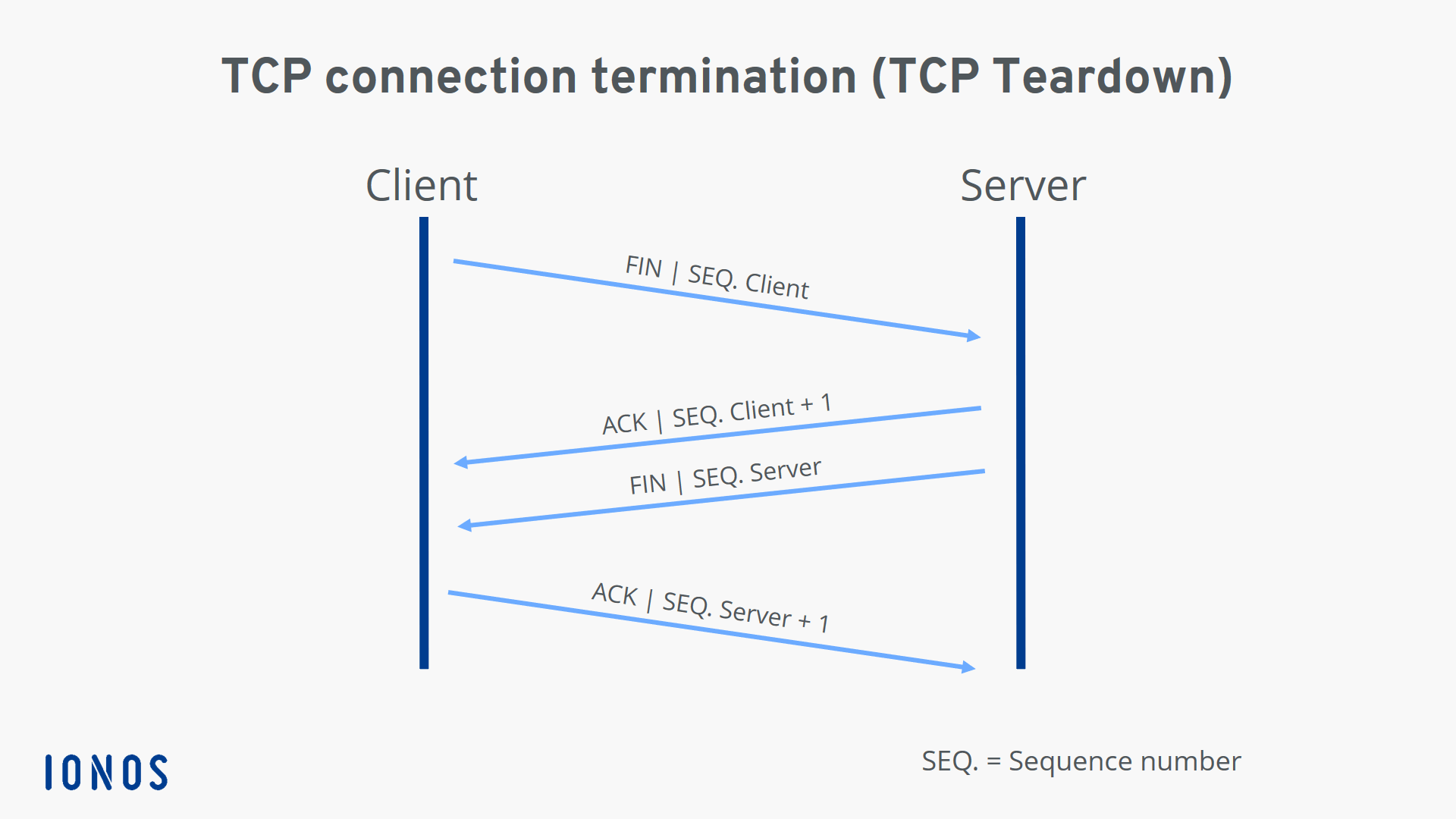
TCP closes connections gracefully using FIN and ACK.
Simplified flow:
One side sends FIN (I’m done)
Other side sends ACK
Other side sends its own FIN
Final ACK
Connection closed
This ensures:
All data is delivered
Nothing is cut off mid-transfer
TCP Connection Lifecycle (Big Picture)
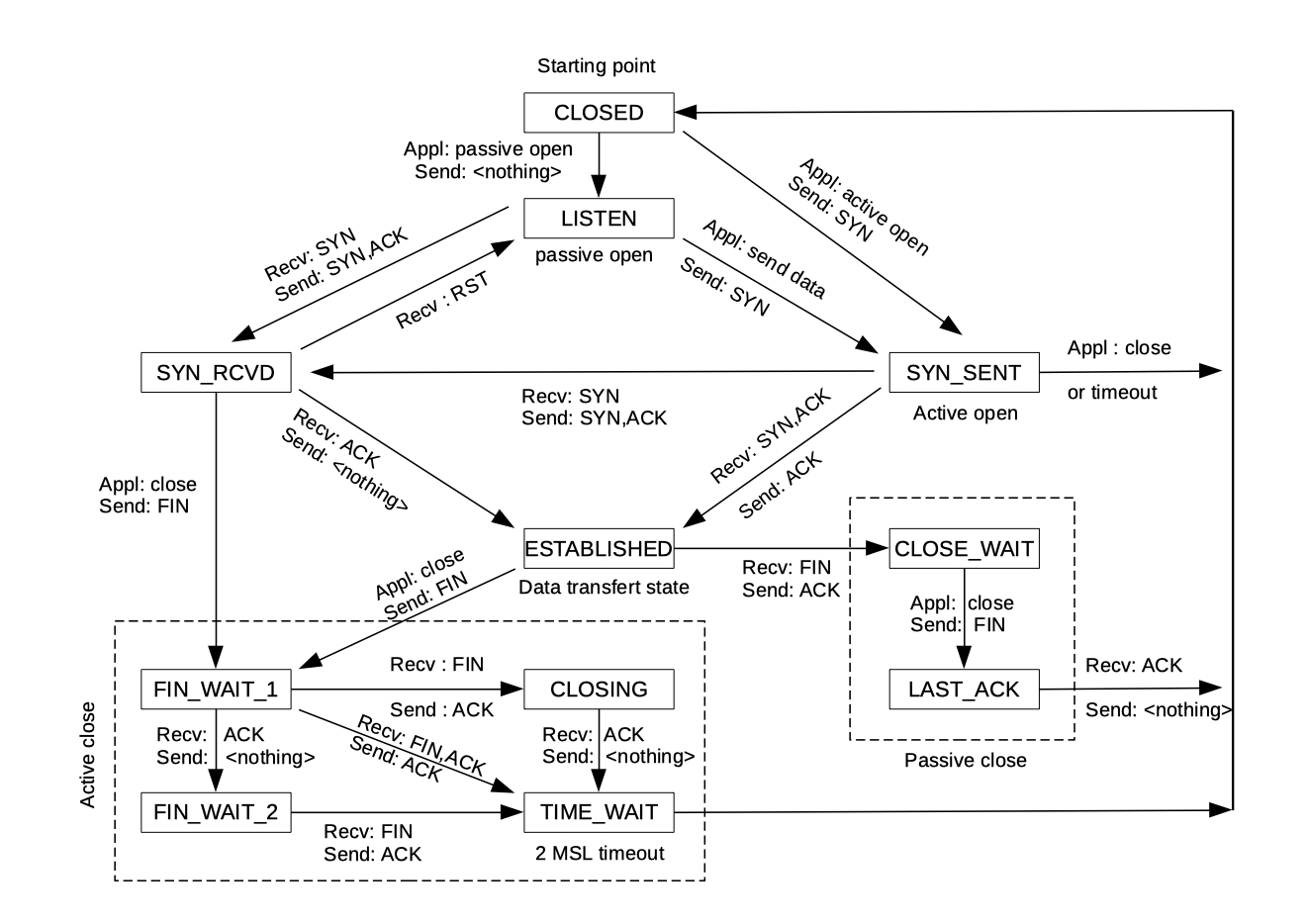
Establish → 3-way handshake
Transfer → reliable data exchange
Close → clean termination
One-Line Mental Model
TCP sets up the call
TCP guarantees delivery
TCP cleans up before hanging up
When You’re Using TCP (Without Realizing It)
Every time you:
Open a website
Send an email
Call an API
Download a file
👉 TCP is quietly working behind the scenes.


