How a Browser Works: A Beginner-Friendly Guide to Browser Internals
A visual, beginner-friendly walkthrough of how browsers turn HTML, CSS, and JavaScript into pixels on your screen

What a Browser Really Does (From URL to Pixels on Screen)
“What actually happens when I type a URL and press Enter?”
Most people say:
“The browser opens a website.”
That’s like saying:
“A restaurant makes food.”
True — but a lot happens in between.
A browser is not one thing.
It’s a team of components working together to turn text files into pixels you can see and interact with.
Let’s walk through the story.
What a Browser Really Is (Beyond “It Opens Websites”)
A browser is a software system that:
Fetches files from the internet
Understands HTML, CSS, and JavaScript
Converts them into visual elements
Handles user interaction (clicks, scrolls, typing)
In short:
A browser translates code into a visual, interactive document.
High-Level Parts of a Browser
Think of a browser like a factory 🏭 with departments.
Main Parts (Big Picture)
User Interface – what you see and click
Browser Engine – coordinates everything
Rendering Engine – turns code into pixels
Networking – fetches files from the internet
JavaScript Engine – runs JS code
Data Storage – cookies, cache, local storage
You don’t need to remember the list — just know they work together.
User Interface (The Part You See)
This includes:
Address bar (URL bar)
Tabs
Back / Forward buttons
Refresh button
Bookmarks
Important idea:
The UI is not the webpage itself — it’s the browser’s controls.
Browser Engine vs Rendering Engine (Simple Distinction)
Browser Engine
👉 The managerDecides when to load
Coordinates UI, networking, rendering
Rendering Engine
👉 The artist 🎨Reads HTML & CSS
Draws text, colors, layouts on screen
You tell the browser what you want;
the rendering engine figures out how it looks.
How a Browser Fetches a Website


After you press Enter:
Browser sends a network request
Server responds with:
HTML
CSS
JavaScript
Browser starts processing them in parallel
HTML Parsing → DOM Creation

What is Parsing? (Very Simple)
Parsing means:
Breaking something into meaningful pieces.
Example:
2 + 3 × 4
Parsing figures out:
Numbers
Operators
Order of operations
Same idea for HTML.
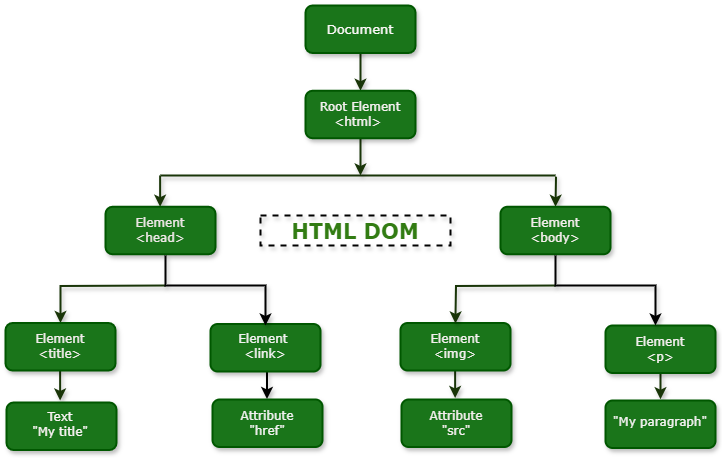
DOM (Document Object Model)
Browser reads HTML
Converts it into a tree structure
Each tag becomes a node
Think of the DOM as:
A family tree of the webpage 🌳
CSS Parsing → CSSOM Creation


CSS is parsed separately.
Browser reads CSS rules
Builds the CSSOM
Describes how things should look
DOM = structure
CSSOM = style rules
DOM + CSSOM → Render Tree
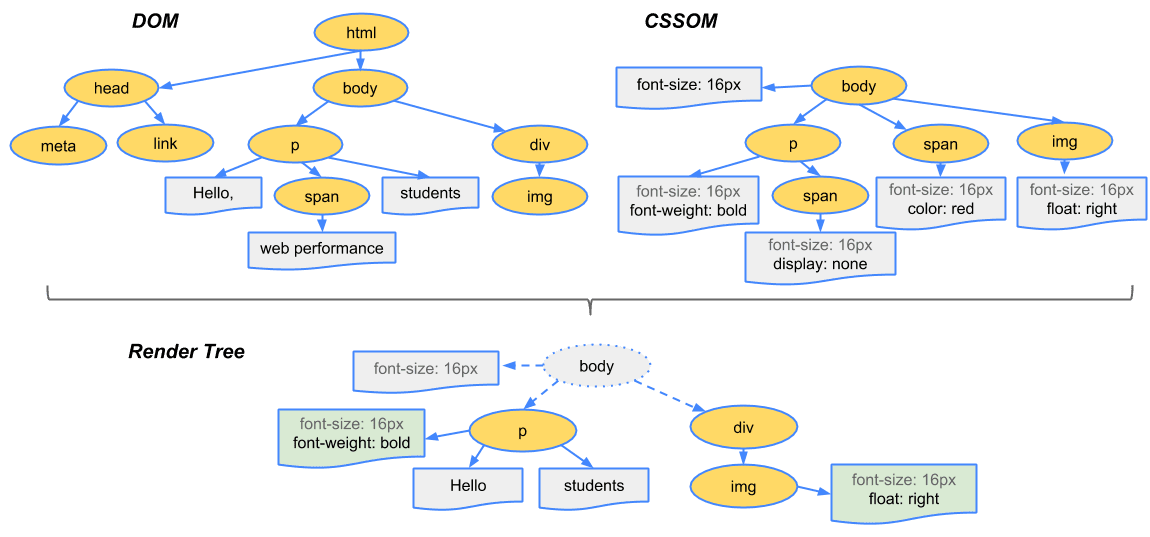
Now the magic part ✨
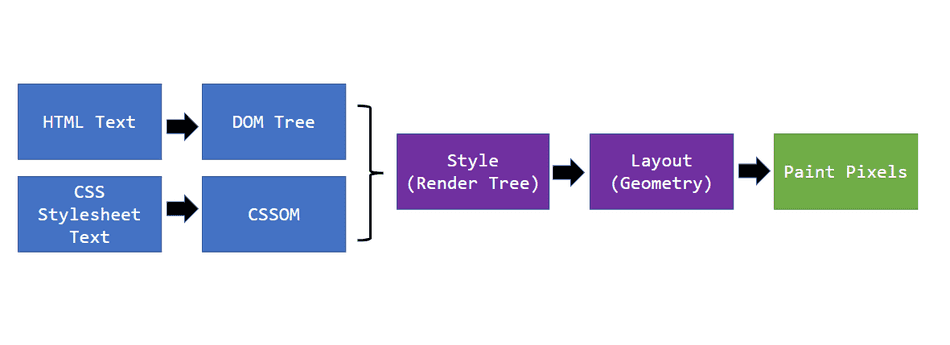
Browser combines DOM + CSSOM
Creates the Render Tree
Only visible elements are included
This tells the browser:
What to draw
How it should look
Layout (Reflow): Deciding Positions


In layout:
Browser calculates:
Width
Height
Position
Figures out where each element goes
This step answers:
“Where exactly does everything sit on the screen?”
Painting & Display
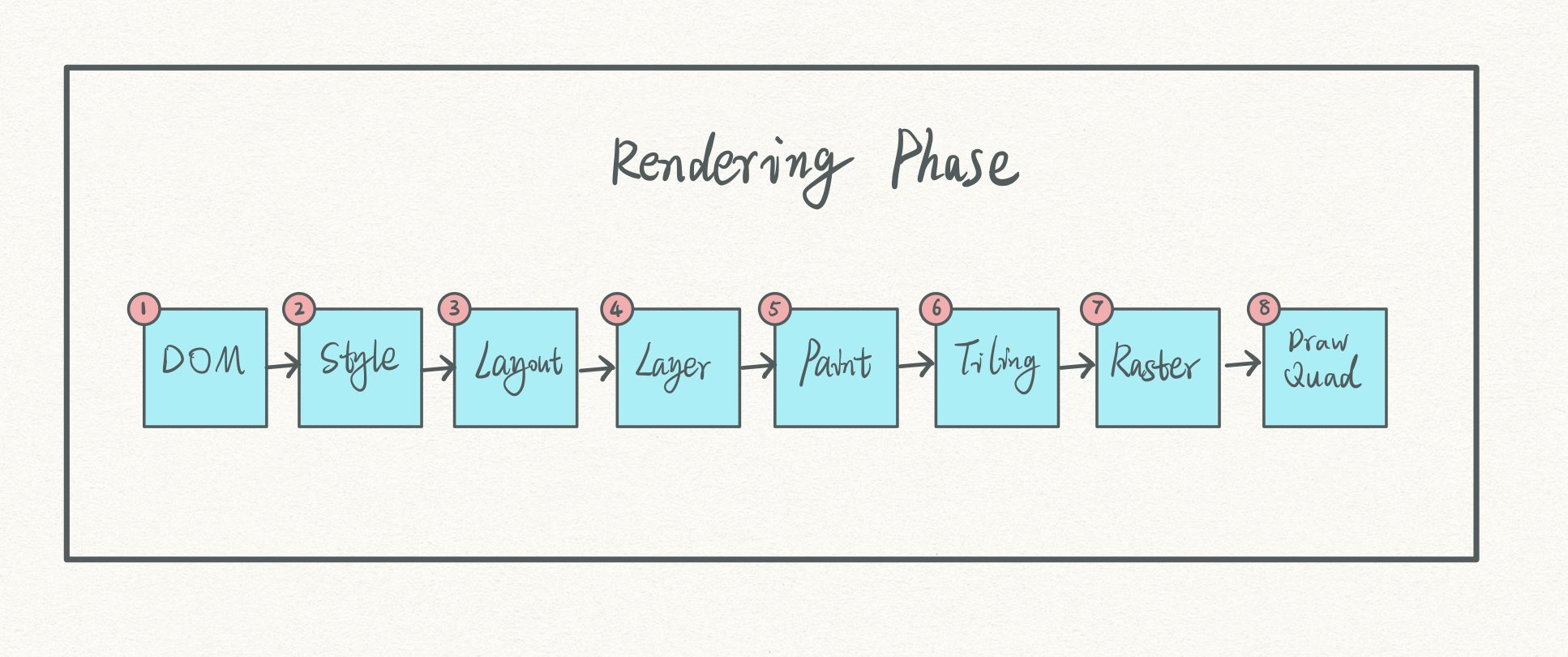
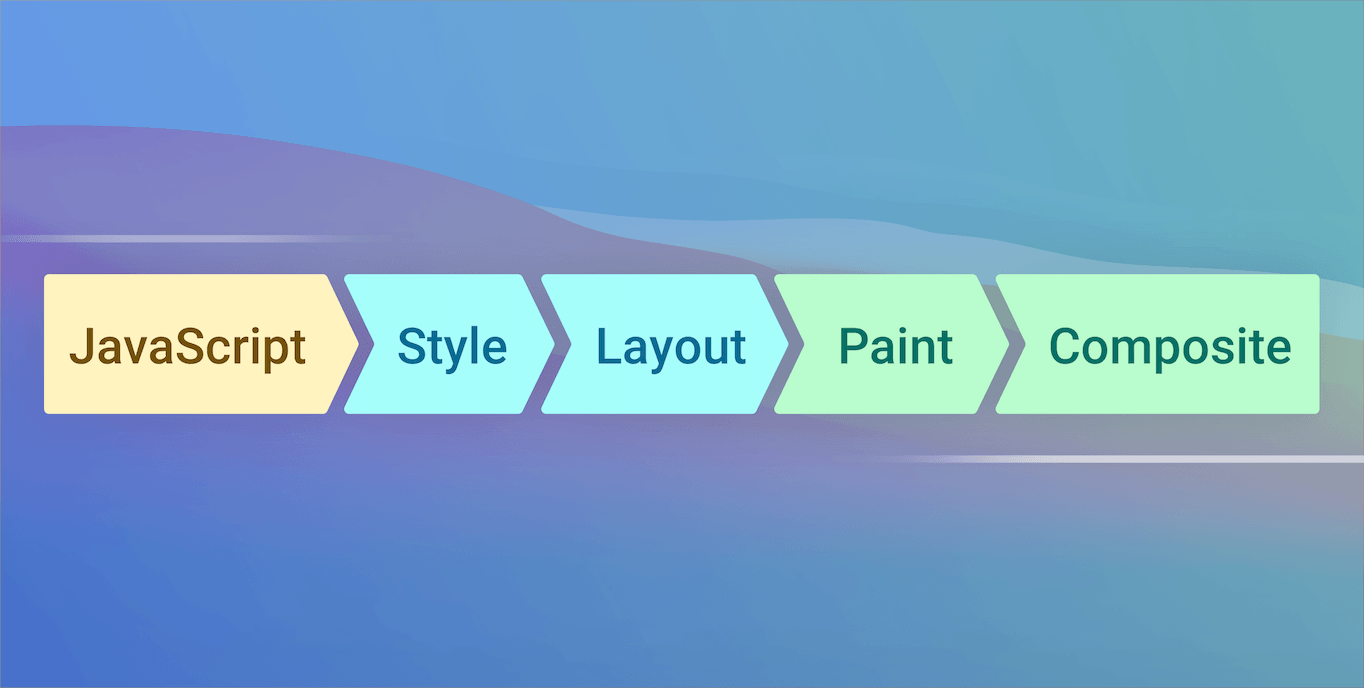
Finally:
Text is painted
Colors are filled
Images are drawn
Pixels appear on your screen 🖥️
You see the page.
The Full Flow (Big Picture)

Type URL
Fetch HTML / CSS / JS
Parse HTML → DOM
Parse CSS → CSSOM
DOM + CSSOM → Render Tree
Layout (reflow)
Paint & display
Important Beginner Reassurance 🙌
You do not need to memorize:
All components
All steps
All terms
What matters is this mental model:
A browser is a pipeline that turns files into visuals.
Understanding the flow is enough.
One-Line Summary
A browser:
Fetches files → understands structure → applies styles → calculates layout → paints pixels
That’s it.


